Ohana · Modules · Active Breaks
Optional module · active breaks Optional

Short breaks that
really happen.

People take 60-second active breaks guided on screen. The camera checks the exercise. It never records or sends video. It runs on your device, so wellbeing never becomes spying.

✓ Setup in 5 minutes ✓ No credit card
Active Breaks — Ohana Local video · never leaves the device
EXERCISE
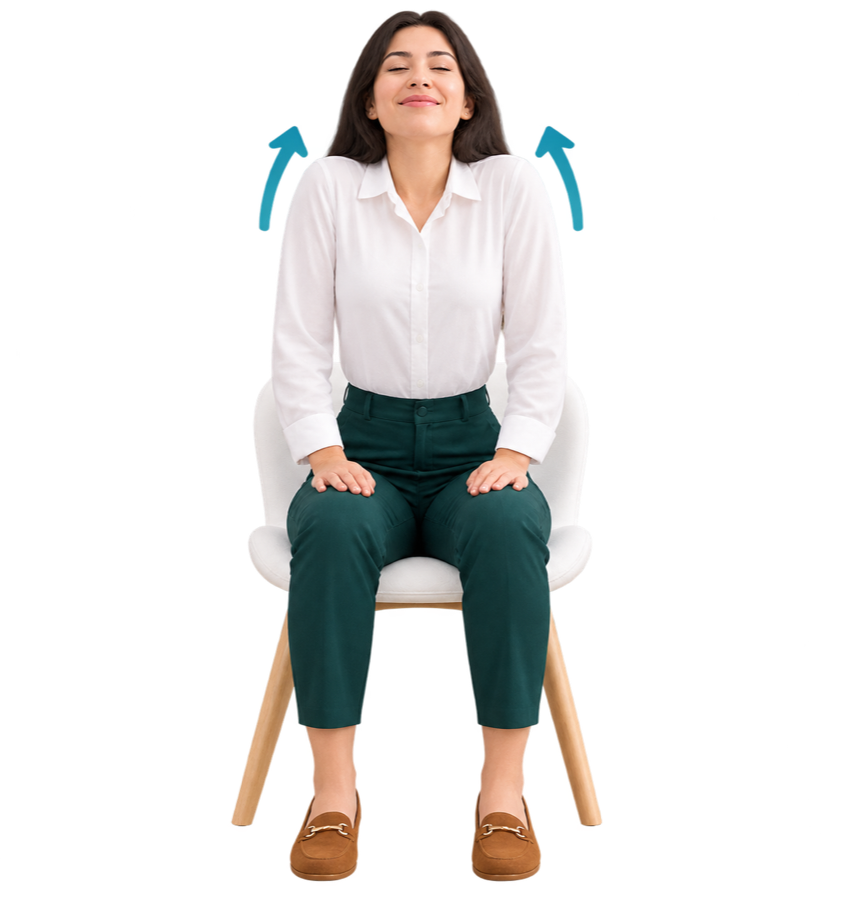
Shoulder shrug
Shoulder shrug Local video
Hold the position
3s left

Raise your shoulders toward your ears as if shrugging, and hold.

8s Shoulders & neck
Optional moduleOn-deviceNo video leaves
Trusted by teams that want to keep their people
60 s per guided break100% on-device processing0 installs to start
Guided break

60 seconds, guided on screen

Neck, arms, and posture moves appear at the right time. A break becomes something you do, not a reminder you skip.

Request a demo →
OhanaOn-device
Active break
00:06
Neck stretch
Neck, arms and posture moves
Guided exercises

A short, clear list

Each exercise is one simple move. It shows on screen and the device checks it — neck, arms, shoulders.

Request a demo →
Arms up high
Arms up high 8s
Shoulder shrug
Shoulder shrug 8s
Neck turns
Neck turns 6s
Neck, arms and shoulders
For leaders

See the habit, never the person

You see how many finished and team habits. No video. No personal scores. No way to point at one person.

Request a demo →
Ohana
Weekly pulse
85%
participation · last 7 days
How do you feel today?
Angry Angry Sad Sad Neutral Neutral Happy Happy Excited Excited
HomeFeedPulseRewardsMe
Participation, not people
Privacy by design

The camera never leaves your device

It runs on your device using WebAssembly. No video is recorded, saved, or sent. That is the difference between a break and spying.

Request a demo →
60 s
per guided break
100%
on your device — no video leaves your computer
0
installs needed when you turn it on in Ohana
100% on your device
Want to see it work?

See how this module works with your team. 15 minutes, no slides, no commitment.

In real life

Breaks that happen on their own.

60 s
per guided break
100%
on your device — no video leaves your computer
0
installs needed when you turn it on in Ohana
FAQ

Questions and answers.

Do we have to install a browser extension?

No, not for the main part. It turns on inside Ohana. If a desktop reminder helps, you can add an optional helper later. But the module works without installing anything.

Is the video recorded or uploaded?

Never. It runs on your device using WebAssembly. No video leaves your computer and nothing is saved.

Does it work for frontline teams?

The guided break works on a phone for teams without a computer. The camera check works best on a laptop or desktop with a webcam.

Is it included or extra?

It is an optional module you turn on for teams that want it. You never have to give it to everyone.

See other modules

Ohana brings five tools together in one platform.

Ready for a team that
is happy and stays?

Start looking at your company culture today — it is easy.

✓ 100% anonymous & GDPR✓ Ready in 5 minutes✓ No credit card needed